> For the complete documentation index, see [llms.txt](https://lodis.gitbook.io/official/llms.txt). Markdown versions of documentation pages are available by appending `.md` to page URLs; this page is available as [Markdown](https://lodis.gitbook.io/official/carrier/matching_request.md).
# 주문 매칭
### 배송을 진행하려면 뭐가 필요한가요?
\[주문] 목록에서 배송을 요청하는 주문을 찾아 매칭 신청을 진행해 보세요.
신청 후 매칭이 되기 위해서는 배송 과정의 분실이나 파손 혹은 정상적으로 진행되지 않은 배송에 대한 수수료를 위해 담보금이 필요해요.
**$DKA(Polygon)**가 담보금으로 사용돼요. $DKA(Polygon)가 없으신가요?
아래 페이지를 참고해서 $DKA(Polygon)을 준비해 주세요.
{% content-ref url="/pages/2alp5yFYqNfVOst8rBNV" %}
[Wallet으로 가상자산 받기](/official/getting-start/token_receive.md)
{% endcontent-ref %}
{% content-ref url="/pages/0A962sJGYDVWlnqvC2vj" %}
[$DKA 토큰 메인넷 바꾸기](/official/getting-start/token_swap.md)
{% endcontent-ref %}
휴대폰 본인인증을 하지 않은 경우, 매칭 신청을 진행할 수 없어요. 아래 페이지를 참고해서 휴대폰 인증을 완료해 주세요.
{% content-ref url="/pages/hVAKeGsk7Nm9ycOhAu98" %}
[복원문구 확인, 본인인증 하기](/official/getting-start/verification.md)
{% endcontent-ref %}
### 배송을 할 주문은 어디서 찾을 수 있을까요? 🔍
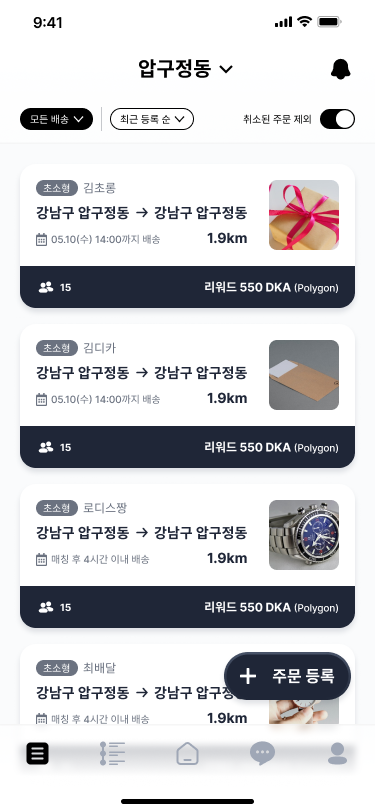
근거리 소형화물의 배송 요청 건을 찾으시나요? \[주문] 목록에서 배송이 필요한 주문을 찾아보세요.
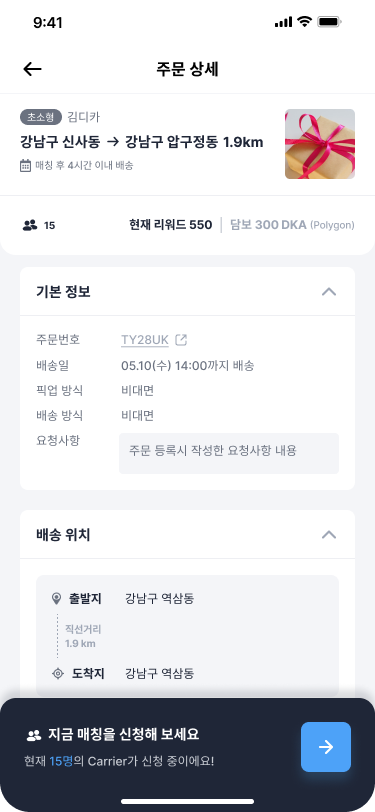
**1️⃣ 주문 상세 진입:** 주문 목록에서 특정 주문을 선택하여 상세로 진입할 수 있어요.
**2️⃣ 주문 상세 조회:** 배송을 요청하는 주문의 상세 정보를 조회할 수 있어요. 해당 주문의 배송을 신청하고 싶다면 하단의 매칭 신청 영역의 화살표를 선택해 매칭 신청하기 화면으로 진입할 수 있어요.
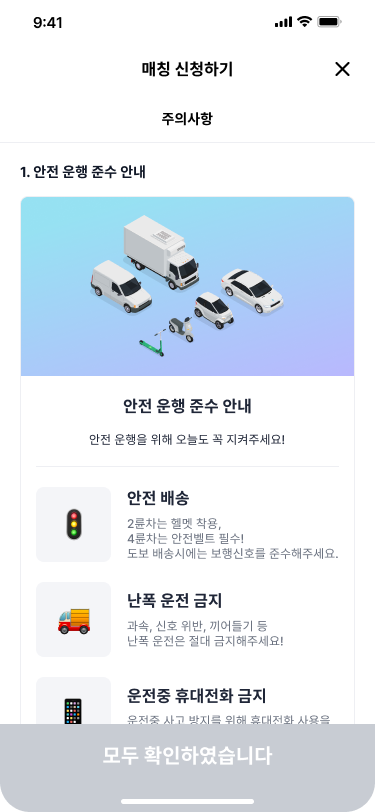
**3️⃣ 주의사항 확인:** 매칭 신청 전 안전운행 준수 및 주의사항을 반드시 살펴보시고, ‘모두 확인하였습니다.’ 버튼을 선택해 주세요.
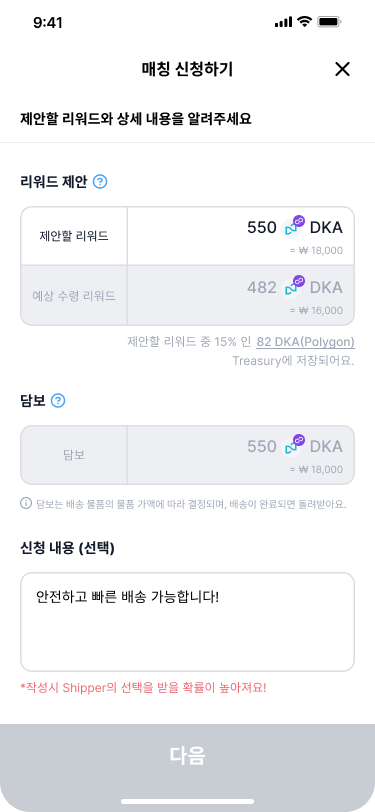
**4️⃣** **제안 리워드 입력:** 물품가액과 배송거리 등으로 다양한 기준으로 산정된 기준금액에서 ± 15% 이내로 제안할 리워드를 기입하여 신청할 수 있어요.
제안할 리워드에서 15%는 Treasury에 보관되어요.
**5️⃣ 담보 확인:** 매칭 시 물품 가액에 따른 $DKA(Polygon)도 확인할 수 있어요.
{% hint style="info" %}
담보는 배송 사고 등 예기치 못한 사유로 배송에 이상이 생겼을 때 상황에 따라 Shipper에게 지급되는 금액이에요. 배송이 정상적으로 완료되면 담보금 전부를 돌려받을 수 있어요.
{% endhint %}
**6️⃣ 신청 내용 입력:** Shipper에게 보여줄 신청 내용을 입력할 수 있어요. 모두 입력이 완료되었다면, ‘다음’ 버튼을 선택해 주세요.
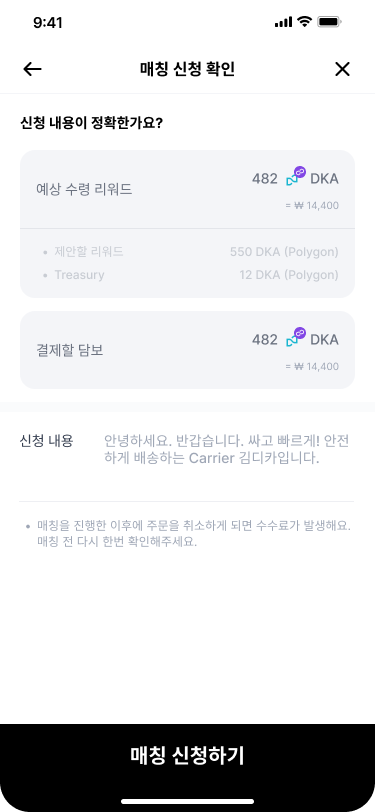
**7️⃣ 매칭 신청 확인:** 신청한 리워드와 결제한 담보를 확인할 수 있어요. 모두 완료되었다면, 매칭 신청하기 버튼을 선택해 주세요.
{% hint style="warning" %}
매칭이 되고 난 시점으로 픽업은 1시간, 배송은 4시간 안에 완료되어야 해요.
배송이 늦어지면 **픽업 지연, 배송 실패** 처리되어 담보금에 해당하는 $DKA(Polygon)의 일부가 취소 수수료로 부과되니, 신중하게 매칭 신청해 주세요.
{% endhint %}
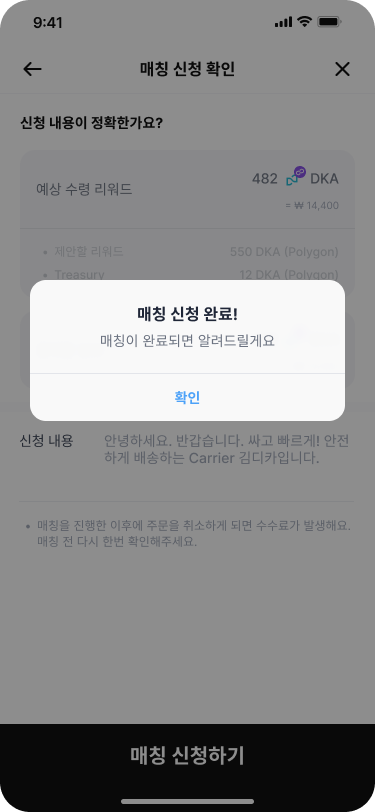
**8️⃣ 매칭 신청 완료:** 매칭 신청이 완료되었어요. 이제 Shipper가 매칭 신청 목록에서 신청한 매칭을 확인할 수 있고, Shipper의 선택을 받으면, 배송을 진행할 수 있어요.
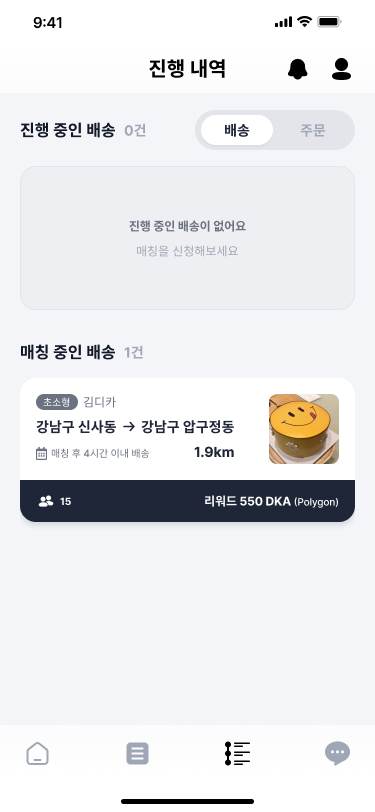
**9️⃣ 매칭 신청 주문 조회:** 매칭 신청한 주문은 \[홈]과 \[진행 내역] 메뉴의 ‘매칭 중인 배송’ 영역에서 확인할 수 있어요.